Arp Ping是一款簡單易用的IP檢測工具,能夠幫助用戶檢測當前網絡IP使用情況,解決一些電腦ip地址問題,使用起來非常方便,有需要的用戶不要錯過了,歡迎下載使用!
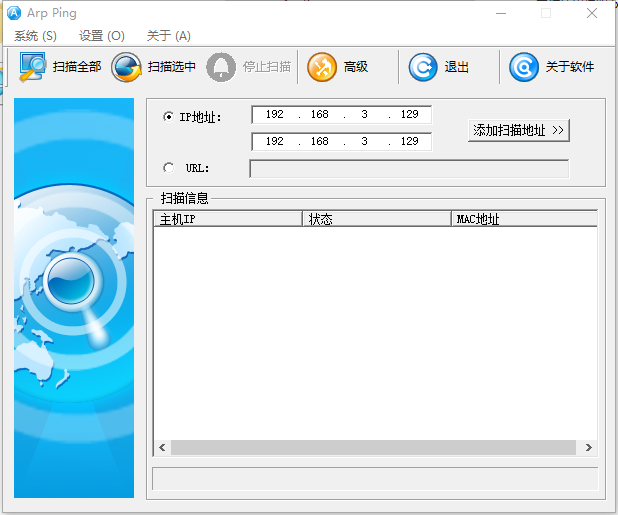
軟件介紹
arping :向相鄰主機發送ARP請求
Arp Ping工具
arping 命令: 在指定網卡上發送ARP請求指定地址,源地址參數指定,可用來直接 ping MAC 地址,以及找出那些 ip 地址被哪些電腦所使用了
類似命令: arp ping ping6 clockdiff tracepath cu
相似命令: linux命令
執行權限: 超級用戶 普通用戶
命令屬性: 網絡通訊
軟件參數
必要參數
-A ARP回復模式,更新鄰居
-b 保持廣播
-D 復制地址檢測模式
-f 得到第一個回復就 退出
-q 不顯示警告信息
-U 主動的ARP模式,更新鄰居
選擇參數
-c<數據包的數目> 發送的數據包的數目
-w<超時時間> 設置超時時間
-I<網卡> 使用指定的以太網設備,默認情況下使用eth0
-s 指定源IP地址
-h 顯示幫助信息
-V 顯示版本信息
使用范例
范例1 : 發送ARP請求
[root@hnlinux ~]# arping 192.168.0.1 //向指定IP發送ARP請求
ARPING 192.168.0.1 from 192.168.0.3 eth0
Unicast reply from 192.168.0.1 [00:21:27:9E:36:66] 2.480ms
Unicast reply from 192.168.0.1 [00:21:27:9E:36:66] 2.387ms
Unicast reply from 192.168.0.1 [00:21:27:9E:36:66] 1.459ms
Unicast reply from 192.168.0.1 [00:21:27:9E:36:66] 1.494ms
Unicast reply from 192.168.0.1 [00:21:27:9E:36:66] 1.478ms
Unicast reply from 192.168.0.1 [00:21:27:9E:36:66] 2.414ms
Unicast reply from 192.168.0.1 [00:21:27:9E:36:66] 1.464ms
Unicast reply from 192.168.0.1 [00:21:27:9E:36:66] 1.501ms
Sent 8 probes (1 broadcast(s))
Received 8 response(s) //Ctrl+C 終止
[root@hnlinux ~]#
范例2 : 向指定主機發送ARP請求,當收到第一個包自動退出
[root@hnlinux ~]# arping -f 192.168.0.1
ARPING 192.168.0.1 from 192.168.0.3 eth0
Unicast reply from 192.168.0.1 [00:21:27:9E:36:66] 0.692ms
Sent 1 probes (1 broadcast(s))
Received 1 response(s)
[root@hnlinux ~]#
范例3 : 指定發送次數
[root@hnlinux ~]# arping -c 3 192.168.0.1 //指定發送3次
ARPING 192.168.0.1 from 192.168.0.3 eth0
Unicast reply from 192.168.0.1 [00:21:27:9E:36:66] 0.662ms
Unicast reply from 192.168.0.1 [00:21:27:9E:36:66] 0.810ms
Unicast reply from 192.168.0.1 [00:21:27:9E:36:66] 1.491ms
Sent 3 probes (1 broadcast(s))
Received 3 response(s)
[root@hnlinux ~]#